
Overview Table
| Aspect | Summary |
|---|---|
| What RAM Is | Temporary memory used by apps to run fast and smoothly |
| Why Browsers Need RAM | To load pages, run scripts, manage tabs, and store data |
| Tabs and RAM Usage | Each tab often works like a mini program |
| Extensions Impact | Add-ons constantly run in the background |
| Modern Websites | Heavy scripts, images, videos, and animations |
| Browser Architecture | Multi-process design improves safety but uses more memory |
| Caching and Performance | RAM helps browsers load pages faster next time |
| RAM vs Speed Trade-off | More RAM use usually means better performance |
| How to Reduce RAM Usage | Fewer tabs, fewer extensions, optimized settings |
| Is High RAM Usage Bad | Not always, it depends on system performance |
Introduction
Many users notice that as soon as they open a browser, their computer’s RAM usage increases sharply. With only a few tabs open, browsers can sometimes consume several gigabytes of memory. This often leads to confusion and frustration, especially when systems slow down or fans start running louder. People naturally ask why browsers use so much RAM when they seem to be doing something simple like displaying web pages.
The reality is that modern browsers are no longer simple tools for reading text-based websites. They have evolved into powerful platforms capable of running complex applications, streaming high-quality video, handling real-time communication, and even replacing traditional desktop software. All of this functionality requires memory, and So Much RAM plays a central role in making browsing fast, stable, and secure.
Understanding why browsers use so much RAM requires looking at how the web has changed, how browsers are designed, and what happens behind the scenes when you open a page or a new tab. This article explains every major reason in detail, helping you see that high RAM usage is not always a problem and often a sign of modern performance-focused design.
Understanding RAM and Its Role
What RAM Actually Does
RAM, or Random Access Memory, is the temporary working memory of a computer. It stores data that applications need right now or will need very soon. Unlike storage drives, RAM is extremely fast, allowing programs to read and write data almost instantly. When an application has more RAM available, it can operate more smoothly without constantly fetching data from slower storage.
Browsers rely heavily on So Much RAM because they constantly process information. From rendering web pages to running scripts and managing user interactions, all of this happens in memory. Without sufficient So Much RAM usage, browsing would feel slow, unresponsive, and unstable.
Why RAM Usage Is Different From Storage Usage
Many users compare RAM usage to storage space and assume that lower usage is always better. In reality, unused RAM is wasted potential. Operating systems and applications are designed to use available RAM to improve performance. Browsers follow this principle closely by storing data in So Much RAM so it can be accessed quickly when needed.
Evolution of Modern Browsers
From Simple Viewers to Application Platforms
Early browsers were designed mainly to display text and basic images. Their memory requirements were minimal because websites were simple and static. Today, browsers act as full application platforms. Web apps can edit documents, play games, manage finances, and support video conferencing, all inside a browser window.
Each of these activities requires processing power and memory. As browsers took on more responsibilities, their So Much RAM usage naturally increased.
Web Standards and New Capabilities
Modern web standards allow browsers to handle advanced graphics, audio processing, animations, and real-time data exchange. Features like interactive maps, online editors, and cloud-based tools rely on complex code that must run continuously in memory.
Tabs and Multi-Tasking
Each Tab Is Like a Separate Program
One of the biggest reasons browsers use so much RAM is their tab-based design. Each tab often runs as an independent process or group of processes. This means every open tab has its own memory space, scripts, and resources.
When you open multiple tabs, you are effectively running multiple small programs at the same time. Even tabs that appear idle may still use So Much RAM to maintain their state or run background tasks.
Why Tabs Are Isolated
Tab isolation improves stability and security. If one tab crashes, it does not bring down the entire browser. However, this safety comes at the cost of higher memory usage, because shared resources are limited to avoid interference between tabs.
Background Tabs Still Matter
Many websites continue to run code even when they are not actively visible. Notifications, background updates, and session tracking can all consume memory. Browsers try to manage this by suspending inactive tabs, but some memory usage remains unavoidable.
Extensions and Add-ons
How Extensions Use Memory
Browser extensions add functionality, but they also add memory overhead. Each extension can run background scripts, monitor web pages, and store data in memory. Even lightweight extensions consume some RAM simply by being active.
Accumulated Impact of Multiple Extensions
A single extension might use a small amount of RAM, but multiple extensions together can significantly increase overall usage. Ad blockers, password managers, productivity tools, and theme customizers all add to the browser’s memory footprint.
Always-On Behavior
Unlike tabs, many extensions run continuously, regardless of which websites you visit. This constant activity contributes to persistent So Much RAM usage even when browsing simple pages.
Modern Websites Are Heavy
Rich Media Content
Websites today rely heavily on images, videos, animations, and interactive elements. High-resolution media files require memory to load, decode, and display smoothly. Streaming platforms, social media feeds, and news websites are especially demanding.
JavaScript and Web Applications
JavaScript powers most interactive features on the web. Modern websites can contain thousands of lines of script code that run continuously. These scripts are loaded into So Much RAM so they can execute quickly in response to user actions.
Frameworks and Libraries
Many websites use large frameworks and libraries to speed up development. While convenient for developers, these tools increase the amount of code that browsers must load and store in memory.
Browser Architecture and Processes
Multi-Process Design
Modern browsers use a multi-process architecture. Instead of running everything in a single process, they split tasks across multiple processes. This includes separate processes for tabs, extensions, rendering, networking, and security.
This design improves stability and security, but it increases So Much RAM usage because each process needs its own memory allocation.
Security Sandboxing
Sandboxing isolates websites and scripts to prevent malicious code from accessing sensitive system resources. While this protection is essential, it requires additional memory to maintain separate execution environments.
GPU Acceleration
Browsers often use the graphics processing unit to render pages and videos. This involves allocating memory for graphics buffers and textures, adding to overall memory usage.
Caching and Performance Optimization
Why Browsers Cache Data
Browsers store frequently used data in So Much RAM to speed up loading times. This includes images, scripts, stylesheets, and recently visited pages. Caching reduces the need to reload data from the internet or storage drive.
Session Restoration
When you reopen a browser, it can restore your previous session quickly because tab states and data were stored in memory or memory-backed storage. This convenience depends on higher So Much RAM usage.
Preloading and Prediction
Some browsers preload pages or resources they predict you might open next. This proactive approach improves speed but uses additional memory.

Memory Management Strategies
How Browsers Manage Memory
Browsers actively monitor memory usage and try to free up So Much RAM when needed. They may discard unused data, suspend background tabs, or reduce resource usage under pressure.
Why Usage Still Appears High
Even with optimization, browsers prefer to keep data in So Much RAM as long as it benefits performance. They rely on the operating system to reclaim memory when other applications need it.
Dynamic Allocation
So Much RAM usage changes constantly based on browsing behavior. Opening new tabs, watching videos, or using web apps can cause sudden increases.
RAM Usage vs System Performance
High RAM Usage Is Not Always Bad
Using RAM efficiently improves speed and responsiveness. A browser using available RAM to cache data is often performing optimally. Problems arise only when So Much RAM usage exceeds system capacity, leading to slowdowns or crashes.
When RAM Becomes a Bottleneck
Systems with limited RAM may struggle with modern browsing demands. In such cases, browsers may frequently swap data to disk, causing noticeable performance issues.
Operating System Interaction
Operating systems are designed to manage So Much RAM dynamically. They allow applications like browsers to use memory freely and step in only when necessary.
Comparing Browsers and Memory Use
Differences in Design Philosophy
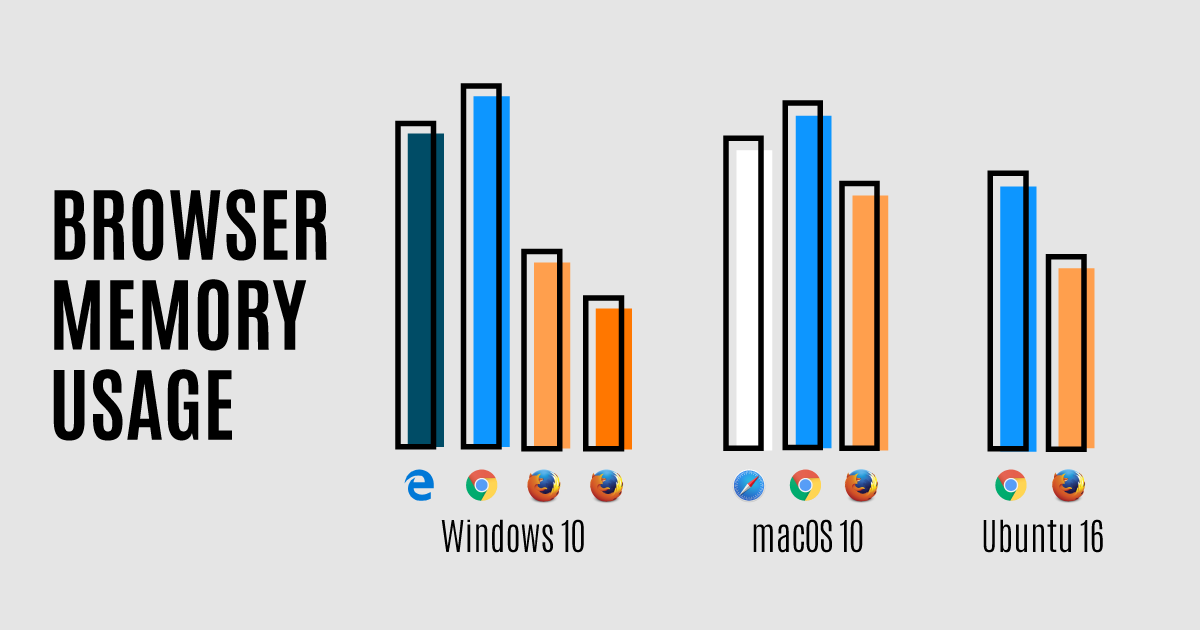
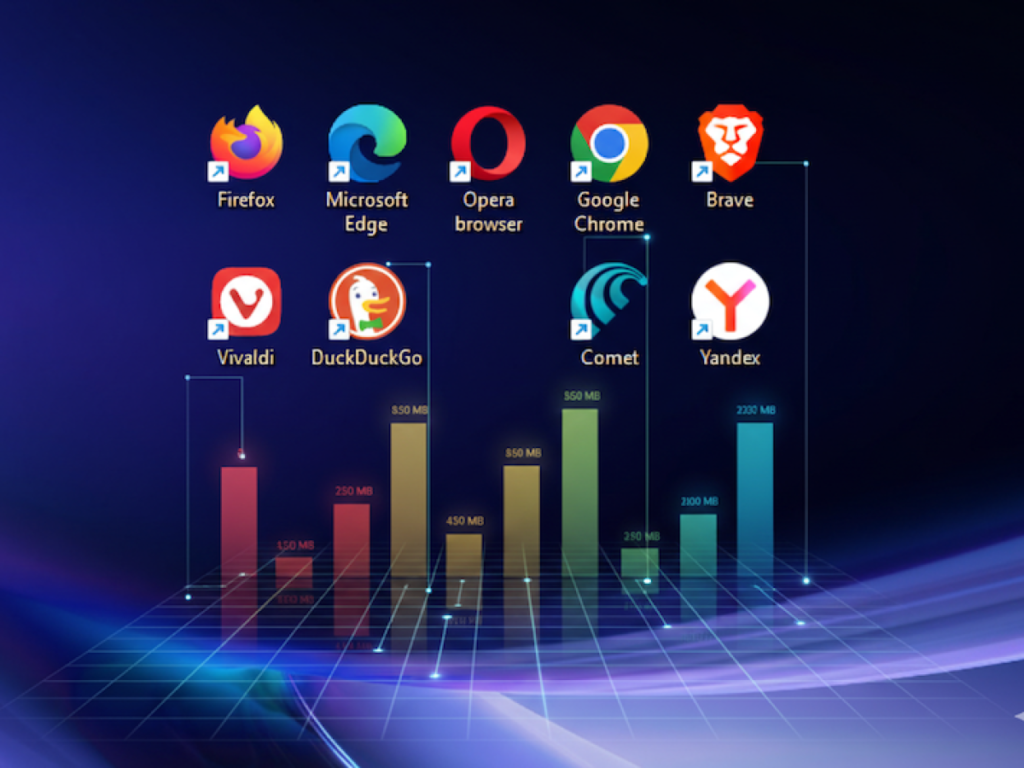
Different browsers prioritize performance, security, or resource efficiency differently. Some use aggressive multi-process designs, while others attempt to consolidate processes to reduce memory usage.
User Behavior Matters More
The number of tabs, extensions, and active websites often has a greater impact on So Much RAM usage than the browser itself. Two users on the same browser can experience very different memory consumption.
Ways to Reduce Browser RAM Usage
Managing Tabs
Keeping fewer tabs open reduces the number of active processes. Using bookmarks or reading lists can help manage information without keeping everything open at once.
Reviewing Extensions
Removing unused or rarely used extensions can significantly lower background memory usage. Choosing lightweight alternatives also helps.
Browser Settings and Features
Some browsers offer built-in tools for tab suspension or memory saving modes. Adjusting these settings can balance performance and memory usage.
System Upgrades
Adding more RAM to a system can greatly improve browsing performance, especially for users who rely heavily on web applications and multitasking.
Future of Browser Memory Usage
Increasing Web Complexity
As web applications continue to evolve, memory demands are likely to increase. New standards and features will push browsers to handle even more complex tasks.
Smarter Memory Management
Browser developers are continuously working on improving memory efficiency. Better tab management, smarter caching, and optimized rendering engines aim to reduce unnecessary usage.
User Awareness and Control
Future browsers may give users more visibility and control over memory usage, helping them balance performance with resource constraints.
Conclusion
Browsers use so much RAM because they are no longer simple tools for viewing web pages. They are powerful platforms designed to run complex applications, manage multiple tasks, and provide a fast, secure, and smooth user experience. High RAM usage is often a result of deliberate design choices focused on performance and stability.
Tabs acting as independent processes, heavy modern websites, numerous extensions, and advanced browser architectures all contribute to increased memory consumption. While this can be challenging on systems with limited RAM, it is generally a sign that the browser is using available resources to deliver better performance.
Understanding why browsers consume so much RAM helps shift the perspective from frustration to awareness. Instead of seeing high memory usage as a flaw, it becomes clear that it is a trade-off made to support the modern web and the rich experiences users expect every day.
